
...loading...
Technical support: 01992 523 523 info@deltamembranes.com
© 2024 Delta Membrane Systems Limited.

Opening this page in Chrome V.42 and above is recommended for maximum compatibility.
If your device supports Progessive Web Apps, you will be automatically prompted to Install as an app.
Please follow the prompts given by your device.
Once installed, please open from the Delta Pumps app icon that will be added to your list of apps or home page.
If you do not see an install prompt, your device does not support Progressive Web Apps. You can instead access all funtionality through a web browser at https://pumps.deltapumpsapp.com/.
iOS and Safari V.16.4 and above are required.
Click the Share icon then select Add to Home Screen. Then launch from the Delta Pumps icon added to the Home Screen.
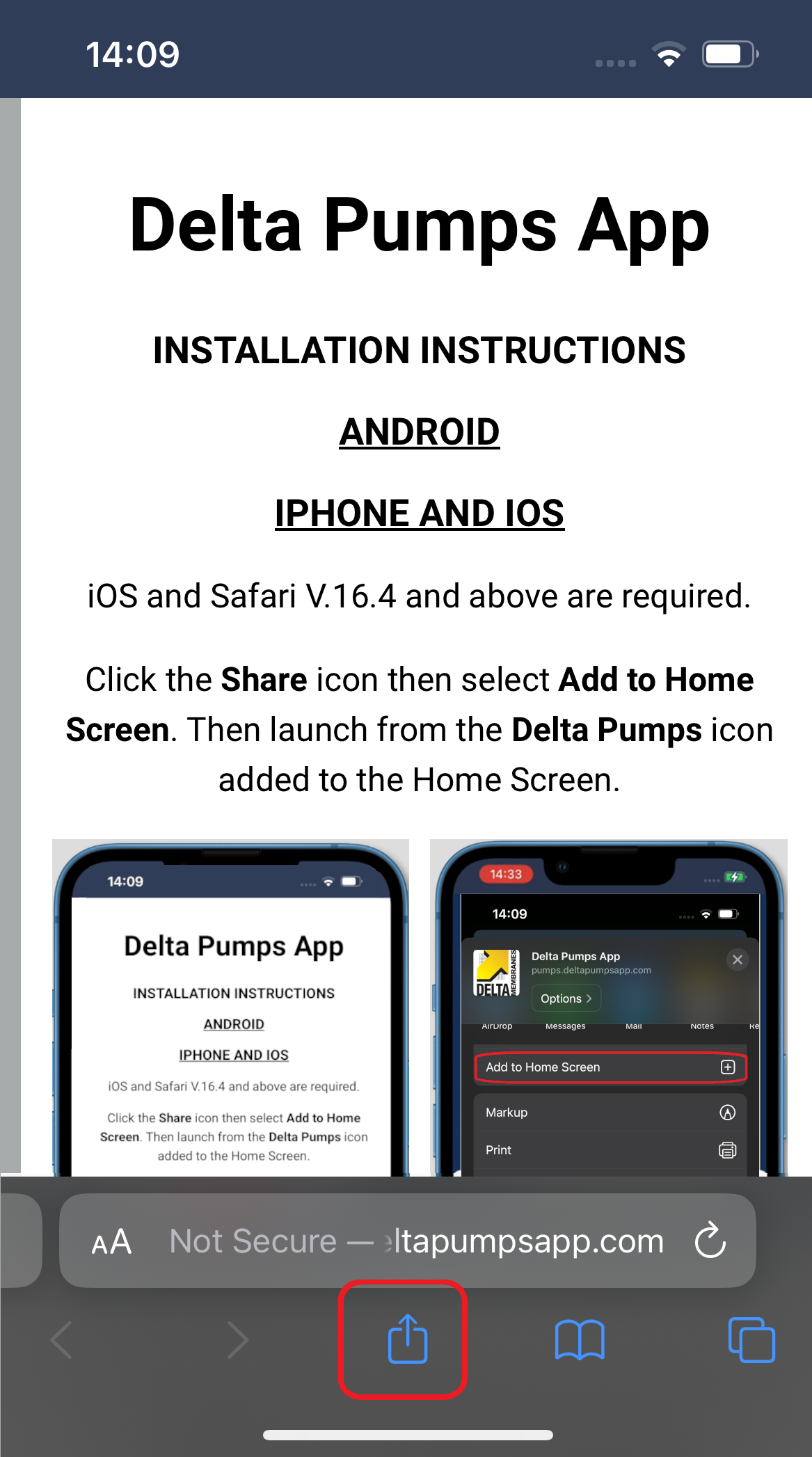
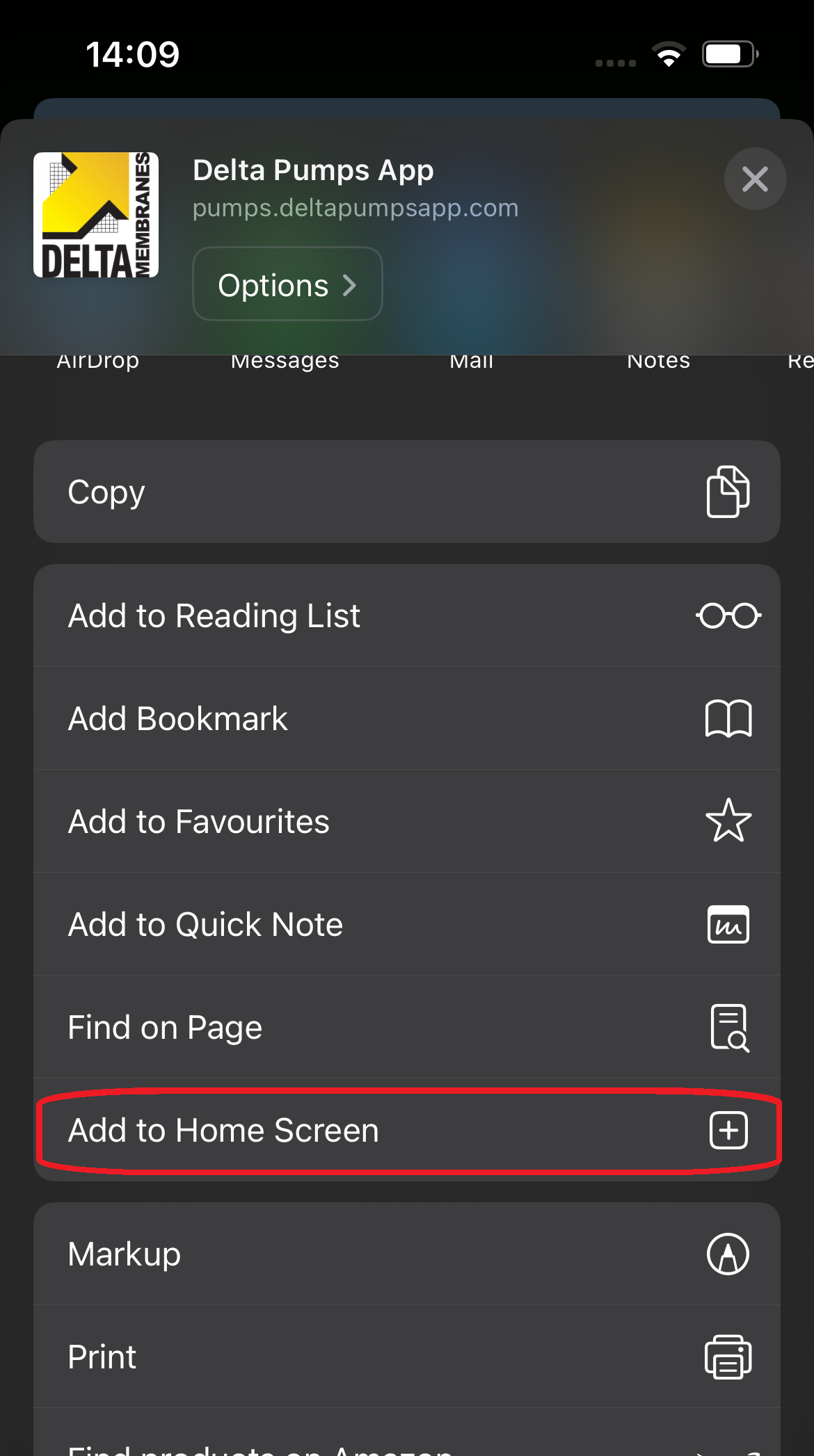
When you launch the app from the Home Screen you should then be prompted to give permission for Notifications and see the login page.
If this doesn't open as an app, your device does not support Progressive Web Apps. You can instead access all funtionality site through a web browser at https://pumps.deltapumpsapp.com/.
Opening this page in Chrome V.20 and above is recommended for maximum compatibility.
Alternatively, Edge V.14 and above, Firefox V.22 and above.
If your device supports Progessive Web Apps, you will be automatically prompted to Install as an app.
Please follow the prompts given by your device.
Once installed, please open from the Delta Pumps app icon that will be added to your list of apps or home page.
If you do not see an install prompt, your device does not support Progressive Web Apps. You can instead access all funtionality through a web browser at https://pumps.deltapumpsapp.com/.
macOS does not support Progressive Web Apps in Safari. However, it does within Chrome V.20 and above.
If your device supports Progessive Web Apps, you will be automatically prompted to Install as an app.
Please follow the prompts given by your device.
Once installed, the Delta Pumps app icon will appear in your Applications area in Finder (you may need to use the Search to find it).
If you do not see an install prompt, your device does not support Progressive Web Apps. You can instead access all funtionality through a web browser at https://pumps.deltapumpsapp.com/.

Update app 1.00
Monitoring app for your Delta Pumps. View the status of all your pumps. Receive notifcations when there are problems and risk of flooding.
You must install this app in order to receive notifications.

Update app 1.00
If you would like notifications sent to your app when your pump fails, please allow the app permission for notifications.